One estimate, from the walkthrough to the agreement
Capture it on site, send it for the client to approve, and — on the Teams edition — develop it at a desk with your whole team. Here is each part of that, from the free app through to running it across a whole sales team.
Built for where AV sales actually happen
Walk the project with Qualifier in your hand. Capture rooms, systems, counts, notes, photos and client priorities as you go. No Wi-Fi in the basement? No cell service on a new-construction site? Keep working — Qualifier syncs when you're connected again.
No signal, no problem
Capture, browse the catalog and build a full estimate with no connection at all. Everything syncs automatically when you reconnect.
The budget builds as you walk
Room by room, system by system. By the time you reach the driveway, the number is there.
Same job, any device
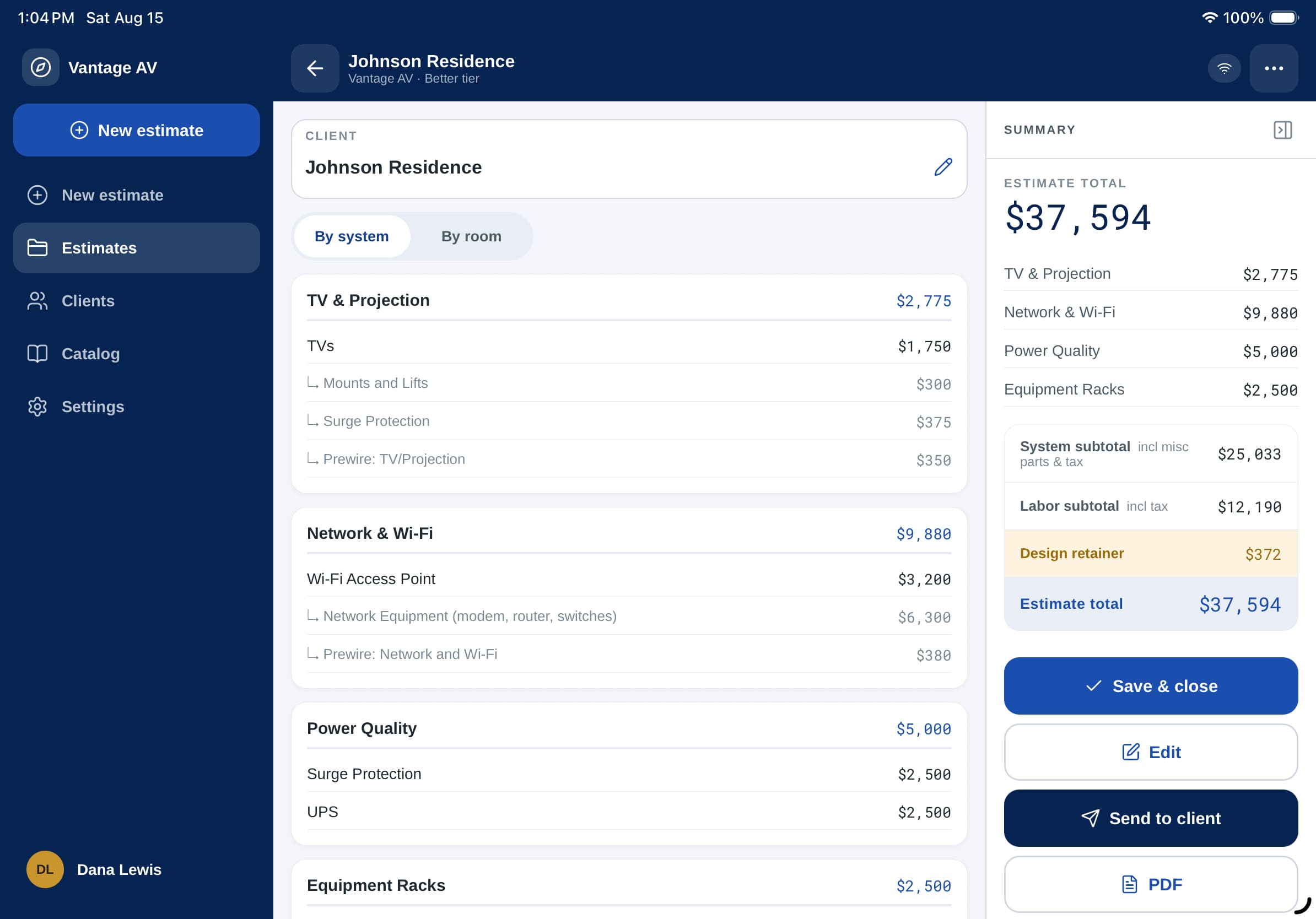
Start on a phone in the field, finish on a computer at the office. It's the same estimate either way.
Start in the field. Finish in the office.
The app owns the walkthrough. The web app connects it to the rest of your business. Same estimate, start to finish.
This is the Teams edition, available to professional organizations. On your own, Qualifier is a mobile app: free to estimate, with Pro as an in-app purchase.
Scope it on site
Walk the project with Qualifier V3 on a phone or tablet. Build the scope room by room, set allowances, and develop a realistic working budget with the client in front of you. Fully offline if you need it.
Sync it to the office
The estimate, client details and project data land in your account the moment you reconnect. Version it, refine it, and keep the full history of what changed and when.
Develop the project
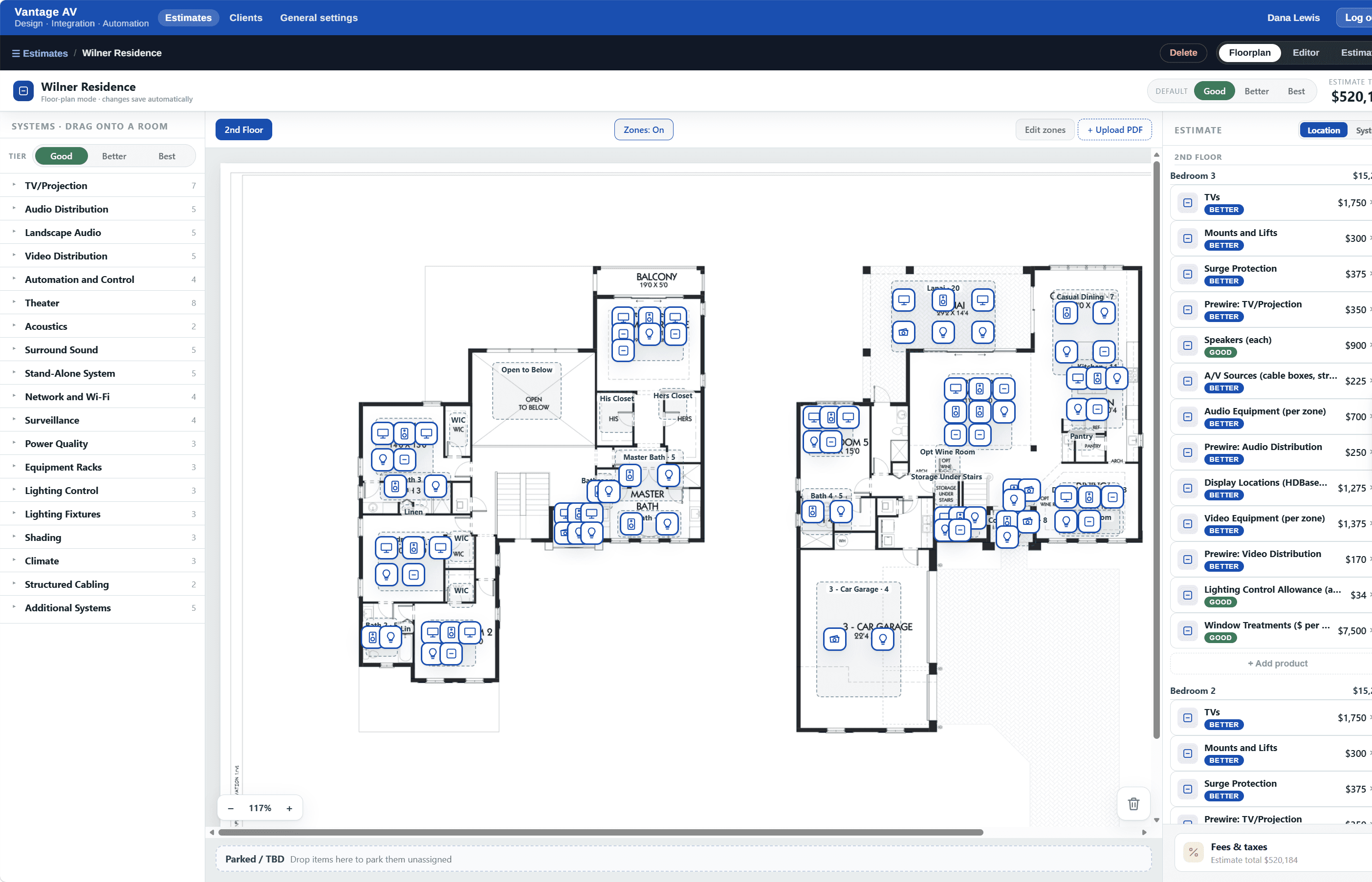
Office staff pick it up in the web app — refine the estimate, work from shared catalogs, and prepare the scope and budget for client review. No one waits for the rep to get back to their desk.
Get it approved
The client reviews the scope and budget on their own device, comments directly on the line items, and approves electronically — paying the design retainer at the same time, if that's how you work. Either way you have an agreed starting point for the next phase.
The app owns the field. The web app connects the business. An Organizations plan connects the two, for everyone selling.
The same estimate, wherever you’re working
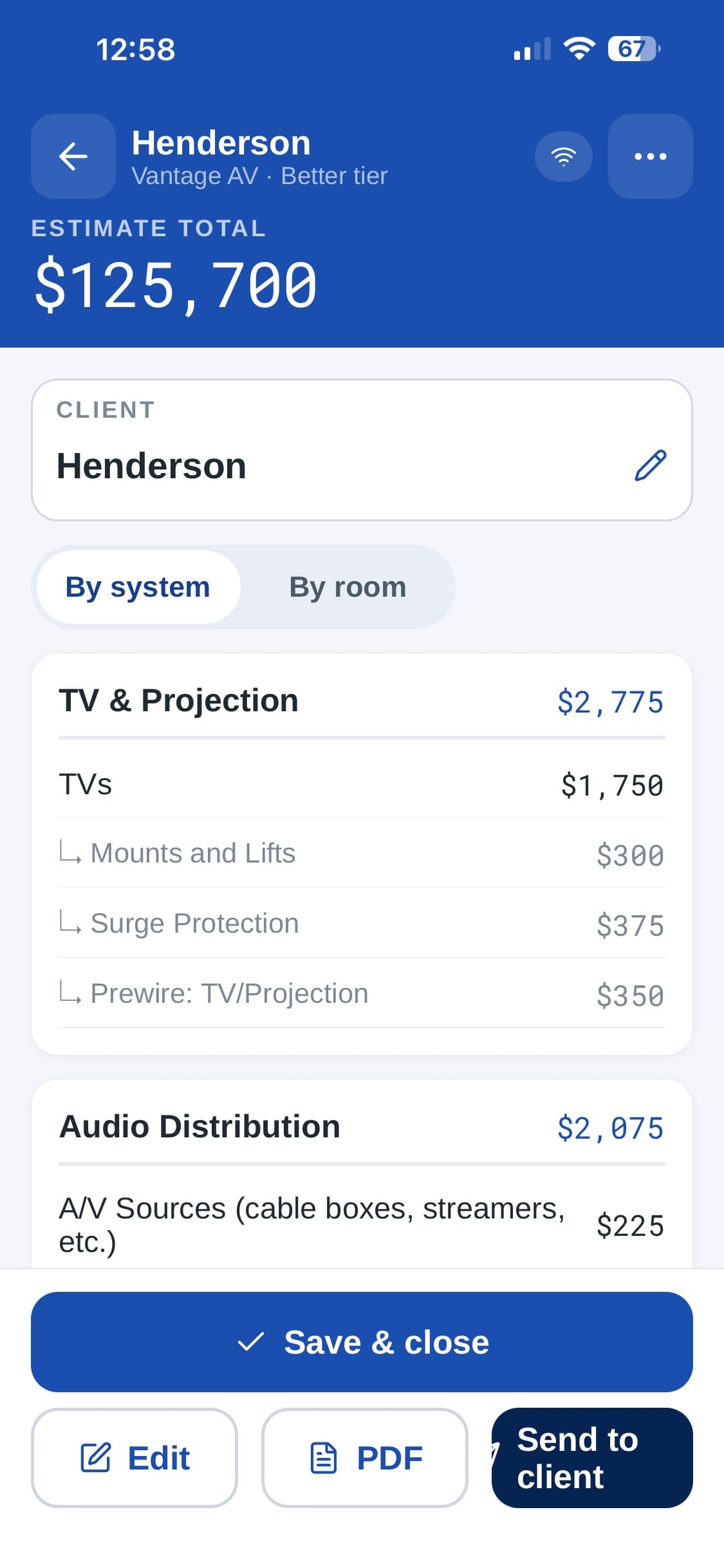
Capture and price it on a phone or tablet while you’re in the house. Send the draft from there — or, on the Teams edition, take it back to the office and finish it in the browser.
Stay in the conversation — not in the software
Clients don't talk room-by-room and system-by-system. They jump from the family-room TV to the patio speakers to lighting and back again. Qualifier lets you follow the conversation naturally — capture what matters as it comes up and organize it afterward, without losing the client while you navigate software.
Budget the way you actually sell
Start with good-better-best allowances to find the client's comfort zone quickly. Adjust by room or system as priorities emerge — better in the primary bedroom, best in the home office. When a specific product matters, specify the exact model.
Start broad. Get agreement. Add detail where it matters.
Turn an estimate into an agreement
Send the estimate while the meeting is still fresh. Your client reviews it on their own device, comments directly on the scope, and tells you exactly what needs to change — so you make targeted adjustments instead of rebuilding proposals from scratch.
Once you're aligned, the client approves the scope and budget electronically — and, if your process calls for it, pays the design retainer through your own Stripe account. We never take a cut.
Fast doesn't mean guesswork
On the Teams edition, your whole team estimates around the BlueDog Data catalog of real AV products, pricing and system requirements — not arbitrary square-foot allowances or numbers pulled from memory.
BlueDog Data comes with the Teams edition, which is available to professional organizations. Working on your own, you estimate from your own products, pricing and margins — which the free app has always done.
Start with an allowance when speed matters. Specify an exact product when precision matters. Either way, the budget has somewhere to go next.
Rough a number
Enough depth to put a defensible range in front of a client in minutes.
Agree the scope
Real products and current pricing — the level that turns a budget into an agreement.
Build the system
Full system requirements for the design phase BlueDog is known for.
Plenty of tools can produce a number quickly. The question is whether that number can become the project.
The BlueDog Data catalog is an accelerator, not a requirement. Your catalog is always yours.
Fast. Accurate. Consistent. Actionable.
Capture the project during the walkthrough and produce a budget in minutes — not days.
Build from your allowances, actual products and current BlueDog Data — not a generic price-per-square-foot guess.
Give every salesperson a repeatable way to establish scope and budget, regardless of experience.
The estimate becomes the agreed starting point for the next phase, instead of being thrown away.
Your client sees your company — not ours
Every estimate carries your brand. Choose how far you want to take it.
White-label the Qualifier app
Drop in your logo and colors, and the whole experience — every estimate a client opens, comments on, and approves — carries your brand inside the BlueDog Qualifier app. Set it up in minutes; it's part of your plan.
Your own app in the app stores
Want your reps to download an app with your name on it? We design, build, and publish a fully branded native app under your company on the App Store and Google Play — powered by Qualifier underneath.
See it on a real job
Bring a project you are working on now. We will scope it with you and you can judge the number yourself.